Webflow vs Framer: Which Fits Your B2B Website?

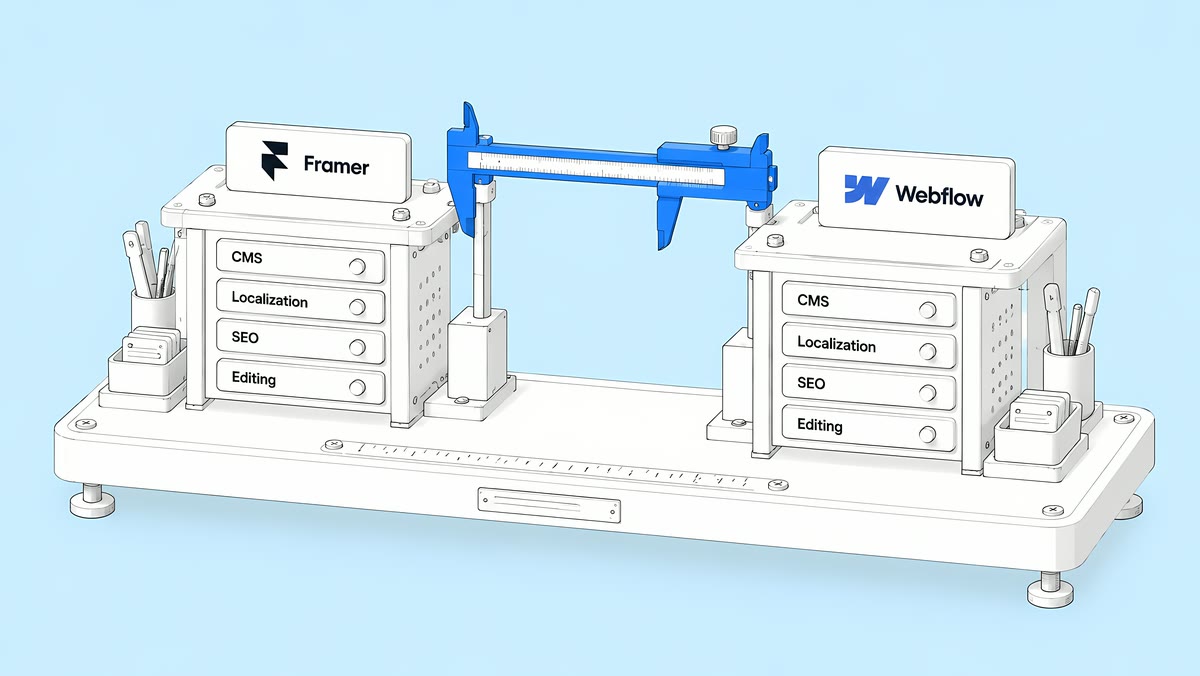
Choose between Webflow and Framer by testing how your team will build, edit and maintain the site. Both have a CMS, SEO controls and localization. Our starting recommendation is to evaluate Framer for a design-led site with a small team and a focused publishing workflow, and Webflow for a site with structured content and separate design, marketing and editing roles.
That is a starting point, not a platform limitation. ActiveSet builds Webflow websites, so we have a clear perspective. The useful question is whether the platform fits your content model, approval process and ongoing work, not whether one homepage looks better in a demo.
On list price the entry plans are close. Framer's Basic and Pro site plans are $10 and $30 a month in the yearly billing view. Webflow's Basic and Premium Site plans are $15 and $25 a month billed yearly, or $25 and $39 billed monthly. (Each vendor's pricing page, checked 27 Oct 2026; prices change.) The totals move apart on editors, languages and page or CMS limits, which the cost section below compares.
Last updated 27 October 2026. Since our 15 October check, neither vendor has changed the list prices used here. What we added: Framer's Free plan, which Framer features sit on Pro rather than Basic, both vendors' AI credits, and what changes for Webflow sites in agency workspaces on 16 November 2026.
Which platform should you shortlist?
Use this table to decide what to prototype first. These are our evaluation recommendations, not guarantees about either product.
| Your situation | Start by evaluating | Test before committing |
|---|---|---|
| A small team needs a focused marketing site | Framer | Can the person maintaining it make realistic changes on their own? |
| Several teams publish through shared components | Both | Do editing and publishing permissions match each person's job? |
| Case studies, authors and resources share information | Both | Can you model the relationships without copying the same content? |
| Multiple languages are essential | Both | Can the team review localized copy, metadata and URLs? |
| Existing organic traffic matters | Both, on a plan with redirects | Can every important URL, redirect and SEO field be preserved? |
| Future self-hosting is a requirement | Both, with a technical review | What works after export, and what must be rebuilt? |
How do CMS and editing workflows compare?
Webflow supports reference and multi-reference fields, so content can connect across Collections: an article can reference its author and related resources (Webflow Collection fields). Framer also supports single and multi-reference fields between CMS collections (Framer collection references). A blanket claim that Framer only handles disconnected blog posts is out of date.
Build a realistic sample: two case studies, three industries, an author profile and a resource page. Change a shared field, then check every place it appears. Ask an editor to publish a new item, replace an image and update its search description. This shows maintenance problems that a polished mockup will hide.
Webflow assigns site roles per person: Site manager, Designer, Marketer (builds pages with components), Content editor and Reviewer. On Growth, Agency and Enterprise Workspace plans, admins can change role assignments per site and switch publishing on or off for most roles (Webflow site roles and permissions).
Framer has workspace roles (Admin, Editor, Content Editor, Viewer) and project roles, plus granular Design, Content and Deploy permissions on plans that support them. With staging on, any project member can publish to staging but only people with Deploy permission can push to the live site (Framer members, roles and permissions, updated 15 Sep 2026). Framer's pricing page, checked 27 Oct 2026, marks roles and permissions, staging and site redirects as included on Pro and not on Basic. Test the actual permission setup on the plan you would buy.
Neither platform removes the need for a well-built component system. If every campaign needs someone to redesign a page, the build needs attention, whichever tool you use.
Is Webflow or Framer better for SEO and AI search?
There is no automatic winner. Framer generates sitemap.xml and robots.txt, and lets you set page and CMS metadata, semantic tags and JSON-LD (Framer SEO guide, updated 15 Sep 2026). Webflow's pricing page lists SEO metadata, canonical tags, sitemap controls, crawler access controls, robots.txt and llms.txt, schema markup support and 301 redirects across its paid Site plans (Webflow plans and pricing). On Framer, redirects are a Pro feature, which matters if you are moving an existing site with traffic.
Test the published output, not the feature list: the page must answer its title's question, keep important text as text, use working links and carry the right canonical. Check forms and analytics alongside search settings; traffic only helps if visitors can take the next step.
For Google's AI features, the same SEO basics apply. Google says there are "no additional requirements to appear in AI Overviews or AI Mode," and no special schema to add (Google: AI features and your website). A migration sold as an automatic route to AI citations is a poor reason to rebuild.
What about localization and portability?
Both products localize. Webflow lets you set a localized page name, slug, SEO title, description and Open Graph settings per locale (Webflow localized page settings). Framer documents localized page paths, translation of CMS content and an Automatic Locale feature that routes visitors by browser language and timezone (Framer localization). Test one real language with longer text, localized navigation and the right metadata before you budget the rollout. Our Webflow localization cost guide breaks down Localize by tier and locale count.
Portability needs its own test. Webflow's code export is only available on paid Workspace plans, and exported code leaves out the CMS, localized content and code components; forms and site search stop working (Webflow code export). Framer's own help centre still contradicts itself: its data portability page says every site can be downloaded as HTML, CSS and JavaScript and hosted anywhere, while its HTML export FAQ says "Framer does not offer HTML export for self-hosting." Both pages show an update date of 15 September 2026. Treat supported self-hosting on Framer as unconfirmed until Framer resolves it and your team tests a full export. CMS export is a separate question: Framer says CMS content can be exported through plugins as CSV or JSON.
Switching later is a rebuild either way. Webflow's own Framer migration guide says there is no automated way to convert a Framer site into a Webflow site: layouts, styles, CMS structure and interactions are recreated by hand, then domains and redirects are set up. If self-hosting is a firm requirement, prototype the exported version first. Our Astro vs Webflow comparison covers a code-based route, and our Webflow vs WordPress comparison for B2B SaaS covers the self-hosted CMS option.
How should you compare the total cost?
Start with the subscriptions, then add the people and languages your site needs. Both vendors publish list prices in USD. The figures below were checked on framer.com/pricing (yearly billing view) and webflow.com/pricing (billed yearly) on 27 Oct 2026. Tax is added at checkout on both, and prices change, so re-check both pages before you decide.
What do the plans cost?
| Framer | Webflow | |
|---|---|---|
| Free plan | Free: Framer domain, 1 GB bandwidth | Starter: webflow.io domain, 2 static pages, limited CMS |
| Entry paid plan | Basic: $10 a month | Basic: $15 a month (no CMS) |
| Plan most B2B sites with a CMS use | Pro: $30 a month | Premium: $25 a month ($39 billed monthly) |
| Above that | Enterprise: custom | Team: $2,500 a month, annual contract required; Enterprise: custom |
| Who pays per person | Additional editors $20 a month each; content editors $10 a month each; viewers free | Full seats $39 a month each; Limited seats $15 a month each, billed yearly; reviewers free |
| Included person | The workspace owner, free | The Workspace owner's Full seat |
| Languages | $20 per locale a month, up to 20 locales | Localize: $9 per locale a month (Essential, up to 3) or $29 (Advanced, up to 10), billed yearly |
| AI credits | Included per site plan: from 1,000 a month on Basic and 3,000 on Pro, with larger tiers | Included in every Workspace plan: 200 a month on Starter, 300 a month on Core, 400 a month on Growth |
One structural difference: Webflow bills the Site plan per site and seats per Workspace, so seats are shared across every site in a Workspace (Choose a Site plan; Choose a Workspace plan). Webflow's Workspace plans cost $19 a month for Core and $49 for Growth, billed yearly, and the free Starter Workspace is enough to run a live site. Framer bills editors per seat, added to a workspace or a project.
If your Webflow site sits in an agency's or freelancer's Workspace, or on a legacy discount from 2022 or earlier, Webflow moves it to the new Site plans from 16 November 2026, at the next renewal or billable change. Our post on Webflow plan changes for agency-hosted sites explains what changes.
What fits inside each plan?
| Limit | Framer Basic | Framer Pro | Webflow Basic | Webflow Premium |
|---|---|---|---|---|
| Designed (static) pages | 30 | 150, then $20 per 100 more, up to 700 | 300 | 300 |
| CMS Collections | 2 | 10, then $40 per 10 more, up to 40 | None (no CMS) | 40 |
| CMS items | 1,000 | 2,500, then $20 per 10,000 more, up to 40,000 | None | 20,000 |
| Bandwidth | 50 GB | 100 GB, then $40 per 100 GB, up to 2 TB | 10 GB a month | 50 GB a month; bandwidth add-ons up to 2.5 TB |
| Redirects | Not included | Included | Included | Included |
| People with edit access | Up to 10 | Up to 10 | Unlimited paid seats | Unlimited paid seats |
Framer's add-on prices for pages, Collections, items and bandwidth are monthly. Webflow's Premium limits come from its May 2026 plan update, which merged the CMS and Business plans into Premium with 300 static pages, 20,000 CMS items and 40 Collections. On Webflow, a site that outgrows 300 static pages or 40 Collections moves to the Team plan (500 static pages, 100 Collections) or Enterprise, rather than buying page add-ons. Pages generated from CMS items do not count as static pages on Webflow.
What does a real team pay?
A worked example on list prices: a marketing site with 120 designed pages, 3 CMS Collections and 400 items, maintained by the workspace owner, one more designer and three content editors, in English plus two other languages.
| Line | Framer (yearly billing view) | Webflow (billed yearly) |
|---|---|---|
| Plan | Pro, because 120 pages and 3 Collections exceed Basic: $30 | Premium: $25 |
| Second designer | Additional editor: $20 | Full seat: $39 |
| Three content editors | 3 × $10 = $30 | 3 Limited seats: 3 × $15 = $45 |
| Two extra languages | 2 × $20 = $40 | Localize Essential: 2 × $9 = $18 |
| Per month | $120 | $127 |
| Per year | $1,440 | $1,524 |
On these inputs the subscriptions are within $84 a year of each other, and one input can change the order. At 200 pages, Framer Pro needs a $20 page add-on and comes to $140 a month, above Webflow's $127. A fourth language still fits Localize Essential, which puts Webflow just ahead ($136 a month against Framer's $140). A fifth language does the opposite: Webflow moves to Localize Advanced at $29 per locale for all four extra locales, and Framer comes out ahead ($225 against $160 a month). That is why the calculator below takes your own numbers. Neither total includes the build, integrations or ongoing work.
Ask for a first-year estimate that includes the build, platform subscription, collaborators, localization, integrations, maintenance and expected campaign work. Then price a typical month of changes. Subscription prices alone will not show whether your team needs ongoing specialist help. Keep the scope identical across quotes: the same templates, content volume, form routing, analytics, languages and launch support. Otherwise a cheaper proposal may simply deliver less.
Use the calculator with your own page count, CMS size, team and languages. It picks the smallest plan on each platform that fits and adds editors and locales at list price. The calculator's built-in list prices were last checked on 15 Oct 2026 and still matched both pricing pages on 27 Oct 2026.
How do you make the final call?
Give each shortlisted platform the same brief and have the future site owner complete three tasks: publish a resource, assemble a campaign page and update a shared component. Record what they can do alone, where they need help and what could break. Choose the option that handles those tasks with manageable cost and clear ownership.
How does ActiveSet help teams choose?
We build on Webflow, so we are not neutral, and we say so. We have been a Webflow partner since August 2024, are a Webflow Premium Partner and have delivered 100+ Webflow projects. Two things from our live case studies bear on this comparison:
- Ownership. For Different, we built different.ai in Webflow in six weeks and, on launch day (20 October 2026), moved the site into Different's own Webflow account; Different moved its hosting plan across. Whichever platform you pick, make sure the site ends up in your account, not the agency's.
- Localization. For Keatech, we added a Swedish version with Webflow Localization in June 2024, with machine translation and a language switcher, then a Webflow-to-Crowdin translation sync in July 2024.
If Webflow fits, we can turn your prototype into a maintainable Webflow website, or plan a migration to Webflow with the URL inventory and redirect map done first. Book a call and bring your page count, team and languages.
Disclosure: ActiveSet is a Webflow Premium Partner and earns a commission from Webflow on Webflow plans. The prices in this post are Webflow's own list prices.
Sources
- Framer, Pricing, yearly billing view, checked 27 Oct 2026
- Framer Help, Members, roles, and permissions, updated 15 Sep 2026, checked 27 Oct 2026
- Framer Help, Guide to SEO features and tools, updated 15 Sep 2026, checked 27 Oct 2026
- Framer Help, Localization, checked 27 Oct 2026
- Framer Help, Porting your data from Framer, updated 15 Sep 2026, checked 27 Oct 2026
- Framer Help, Can I export my website to HTML and self-host it?, updated 15 Sep 2026, checked 27 Oct 2026
- Framer Academy, Use CMS collection references in Framer, checked 27 Oct 2026
- Webflow, Plans & pricing, checked 27 Oct 2026
- Webflow Help Center, Updated pricing and simplified plans for May 2026, updated 31 Aug 2026, checked 27 Oct 2026
- Webflow Help Center, Choose a Site plan, updated 2 Aug 2026, checked 27 Oct 2026
- Webflow Help Center, Choose a Workspace plan, updated 13 May 2026, checked 27 Oct 2026
- Webflow Help Center, Site roles and permissions, updated 3 Aug 2026, checked 27 Oct 2026
- Webflow Help Center, Collection fields, updated 30 Jun 2026, checked 27 Oct 2026
- Webflow Help Center, Localize page settings, updated 2 Jul 2026, checked 27 Oct 2026
- Webflow Help Center, How do I export my Webflow site code?, updated 31 Oct 2025, checked 27 Oct 2026
- Webflow Help Center, Migrate your site from Framer to Webflow, updated 16 Jul 2026, checked 27 Oct 2026
- Google Search Central, AI features and your website, updated 10 Dec 2025, checked 27 Oct 2026
We're a Webflow Premium Partner with 100+ Webflow projects. Book a free 30-minute call to talk through scope and timeline, and we'll follow up with a written quote.
Frequently Asked Questions
On entry plans, Framer Basic ($10 a month, yearly billing) costs less than Webflow Basic ($15 billed yearly), but Webflow Premium ($25) costs less than Framer Pro ($30). For a real team the gap depends on editors and languages: Webflow charges $39 or $15 per seat, Framer $20 or $10 per editor, and locales cost $9 to $29 on Webflow versus $20 on Framer. List prices checked 27 Oct 2026.
Yes, both charge per person who edits. Framer lists additional editors at $20 a month and content editors at $10 a month, with viewers free and up to 10 people with edit access on Basic and Pro. Webflow charges $39 a month for a Full seat and $15 for a Limited seat, billed yearly, with reviewers free and the Workspace owner's Full seat included.
Framer Basic allows 30 designed pages and Pro 150, with add-ons of $20 per 100 pages up to 700. Webflow Basic and Premium allow 300 static pages, and Team 500. CMS pages generated from Collection items don't count as static pages on Webflow, so large sites usually move repeating content into the CMS rather than building pages one by one.
Framer lists translation locales at $20 per locale a month, up to 20 locales. Webflow sells Localize per locale: $9 a month on Essential (up to 3 secondary locales) or $29 on Advanced (up to 10), billed yearly, on top of the Site plan. Advanced adds localized URLs and automatic visitor routing. Prices checked 27 Oct 2026.
No. Webflow's pricing page says prices are in USD with applicable taxes added at checkout, and Framer's says sales tax is added at checkout based on your location. Both pages show monthly prices for the billing cycle you pick, so compare yearly billing with yearly billing. Check both pricing pages on the day you buy, because list prices change.